Ask your data. Script what you need. Keep every step traceable.
BiSigma Analyzer 3 is the new analysis software of the BiSigma Software Suite for eye-tracking and physiological data. It brings an AI assistant that works directly on your study, Python scripting from outside and from within, and a workspace in which every view follows the same moment in time.
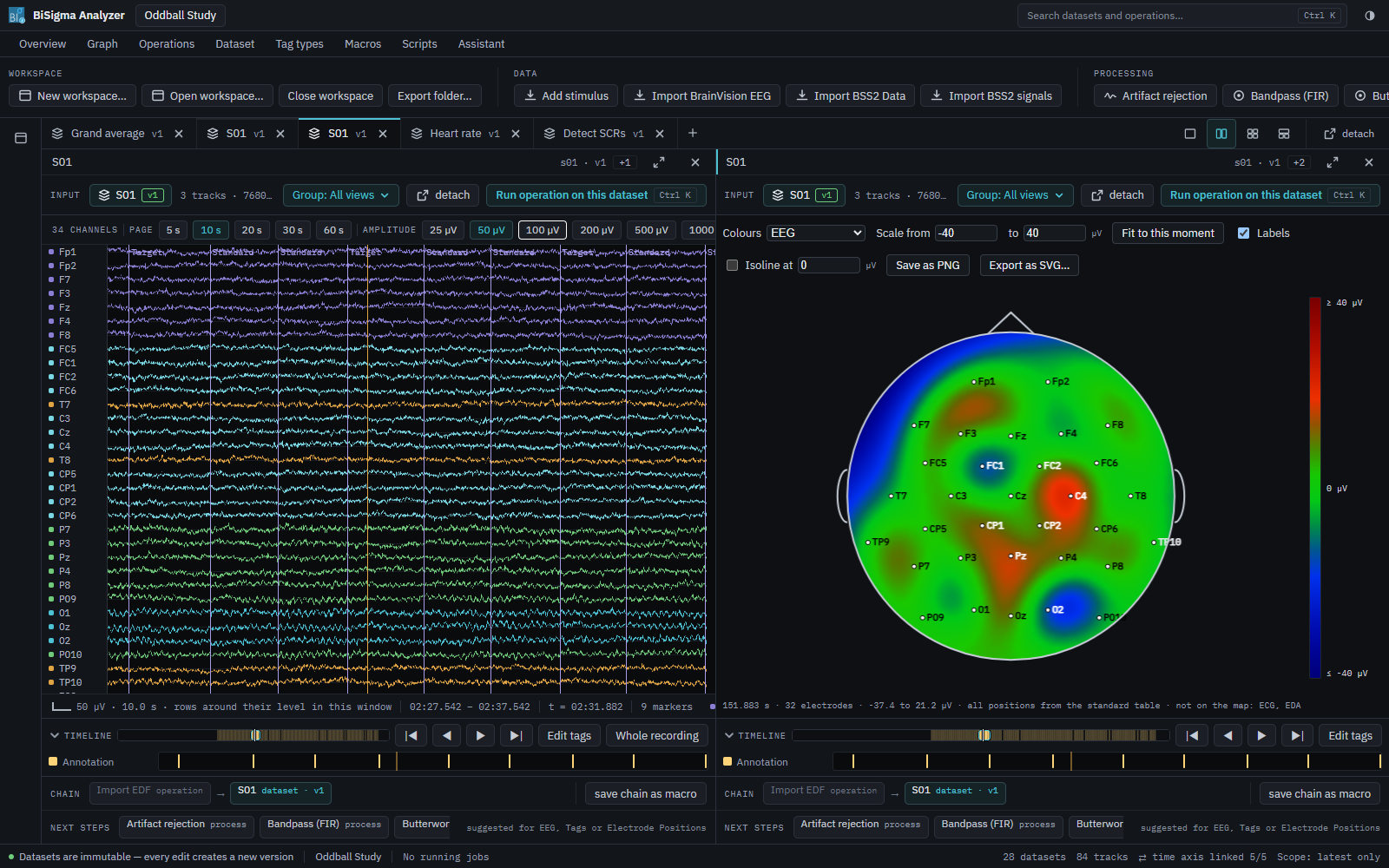
The AI assistant: your analysis, in your words
Describe what you want to know – the assistant looks into your study and does the work in the open.
- Questions in natural language. “Is there a P300 effect? Compare target and standard at Pz across all participants.” The assistant reads the relevant results, compares them and answers with numbers you can check.
- It works with your data, not around it. It reads signals, epochs, events and metric tables, runs operations, applies a processing branch or a macro to many recordings, and draws scalp maps, heatmaps and plots.
- It shows you what it means. The assistant opens the matching view and moves the time cursor to the moment it is talking about – you see the result in the same place you would look yourself.
- Every step stays visible. Each step the assistant takes appears in the processing tree as an ordinary node, with its parameters and its origin – there you can inspect it, check it and discard it. Before it applies processing to many recordings, it can show a preview of what would happen. It cannot delete anything.
- You stay in charge of the method. Parameters can be checked and changed at any time; the decision about method and interpretation remains with you.
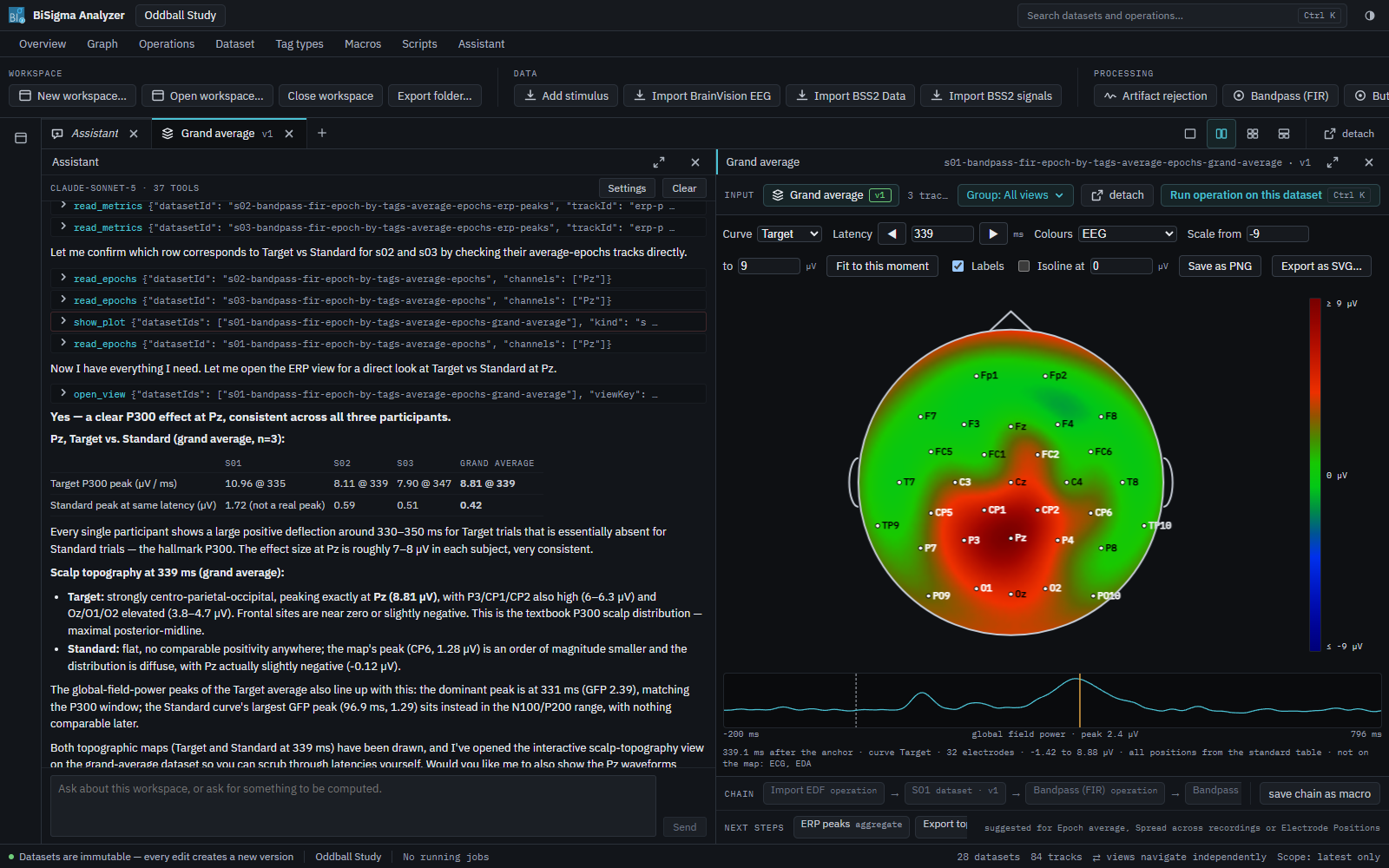
Your choice of model
The assistant is not tied to one provider. It connects to any service with an OpenAI-compatible interface – a cloud service or a model operated by your own institution. Access keys are stored encrypted on your computer.
An open interface for AI tools
The Analyzer offers its capabilities through the Model Context Protocol (MCP), an open standard for AI tools. The built-in assistant uses exactly this interface – and so can other AI clients you work with. The interface is only reachable from your own computer.
Traceable by design
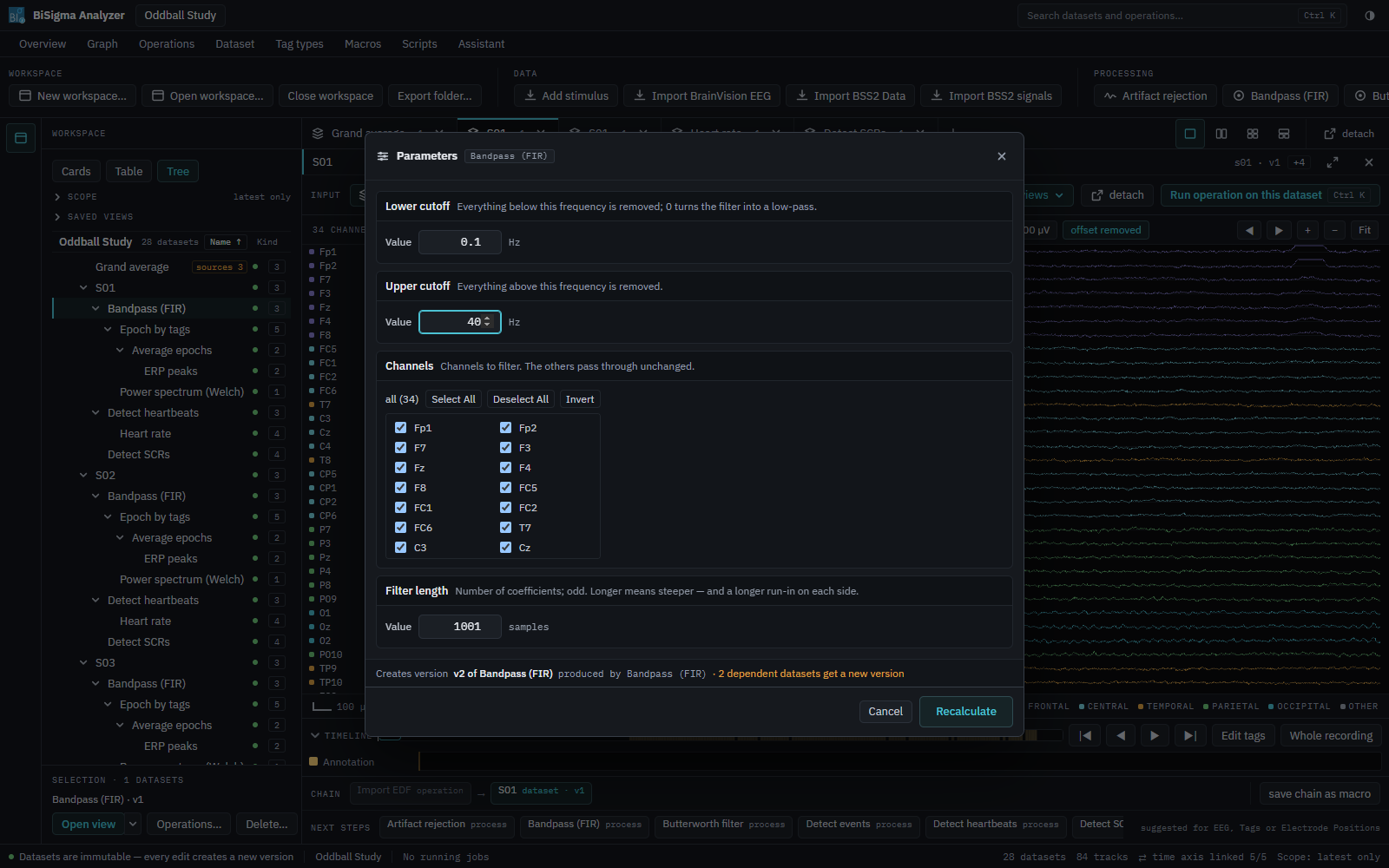
Results in Analyzer 3 are never overwritten. Change a parameter and the Analyzer creates a new version, recalculates what depends on it and keeps the old one. For every result you can see what it was computed from and with which settings – whether a person or the assistant ran the step.
Python scripting: from outside and from within
Control the Analyzer from outside
The Analyzer can be controlled from any program that speaks HTTP and JSON – open workspaces, import recordings, run operations, apply macros, read data and export results. No windows, no clicks. The interface is documented, with examples in Python and C#. Scripts can join the Analyzer someone is working with, or start one of their own without a window for fully automated processing.
Extend it from within
A Python script becomes an operation like any built-in one: it appears in the catalogue, gets its own parameter dialog, can be used in macros, and its result carries its origin like every other result. Use the libraries you already know – NumPy, MNE, pymovements and others. The fingerprint of the script is stored with each result, so you always know which version of your code produced it.
import a3script as a3

@a3.processor(
    key="demean",
    name="Remove mean (script)",
    inputs=[a3.signal("source", label="Signal")],
    outputs=[a3.signal("result", label="Signal without mean", like="source")],
    parameters=[a3.number("scale", default=1.0, label="Scale")],
    requires=["numpy"],
)
def demean(context, source, scale):
    values = source.values
    return a3.Signal((values - values.mean(axis=1, keepdims=True)) * scale, like=source)
Improved for everyday work
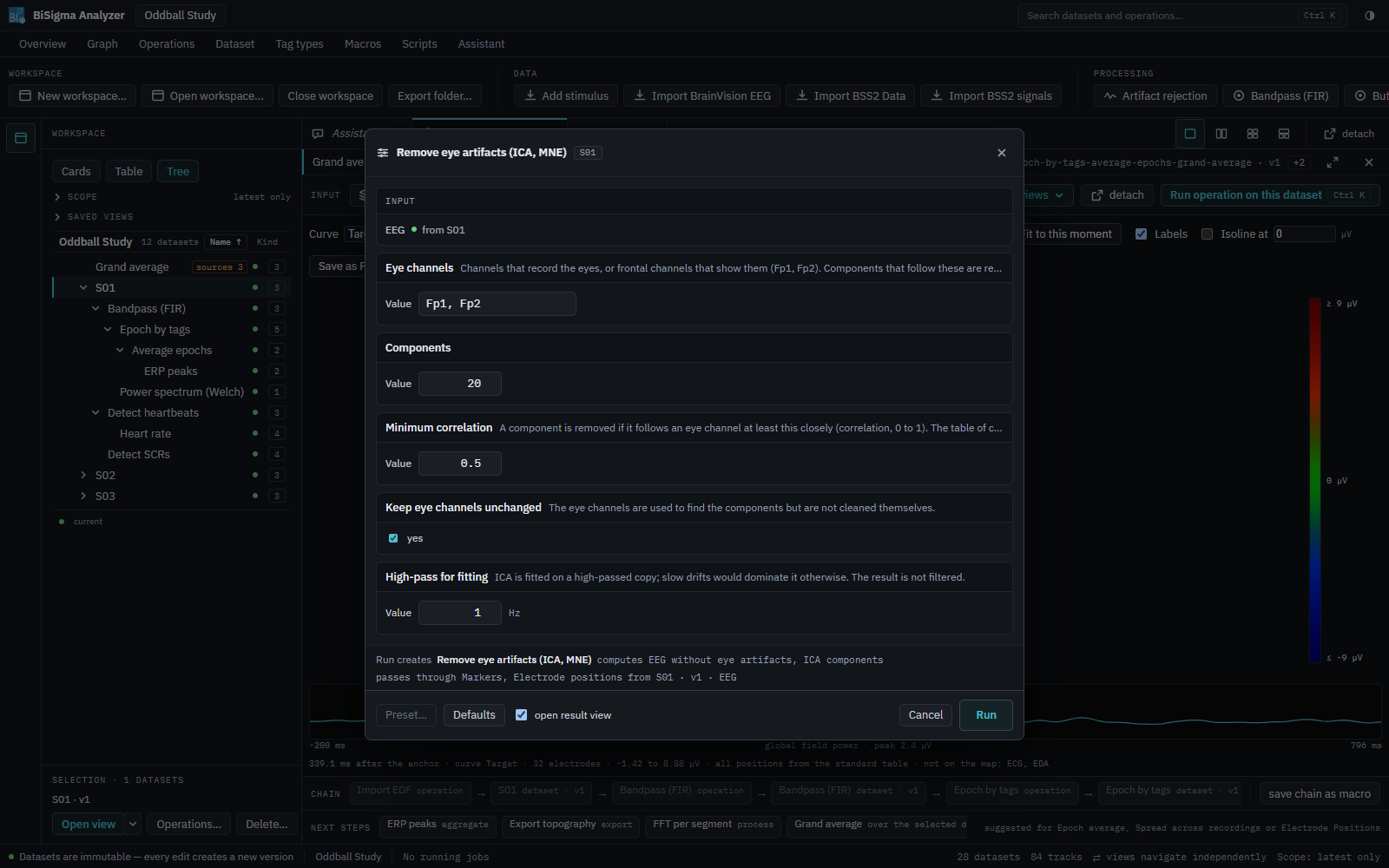
Synchronised views
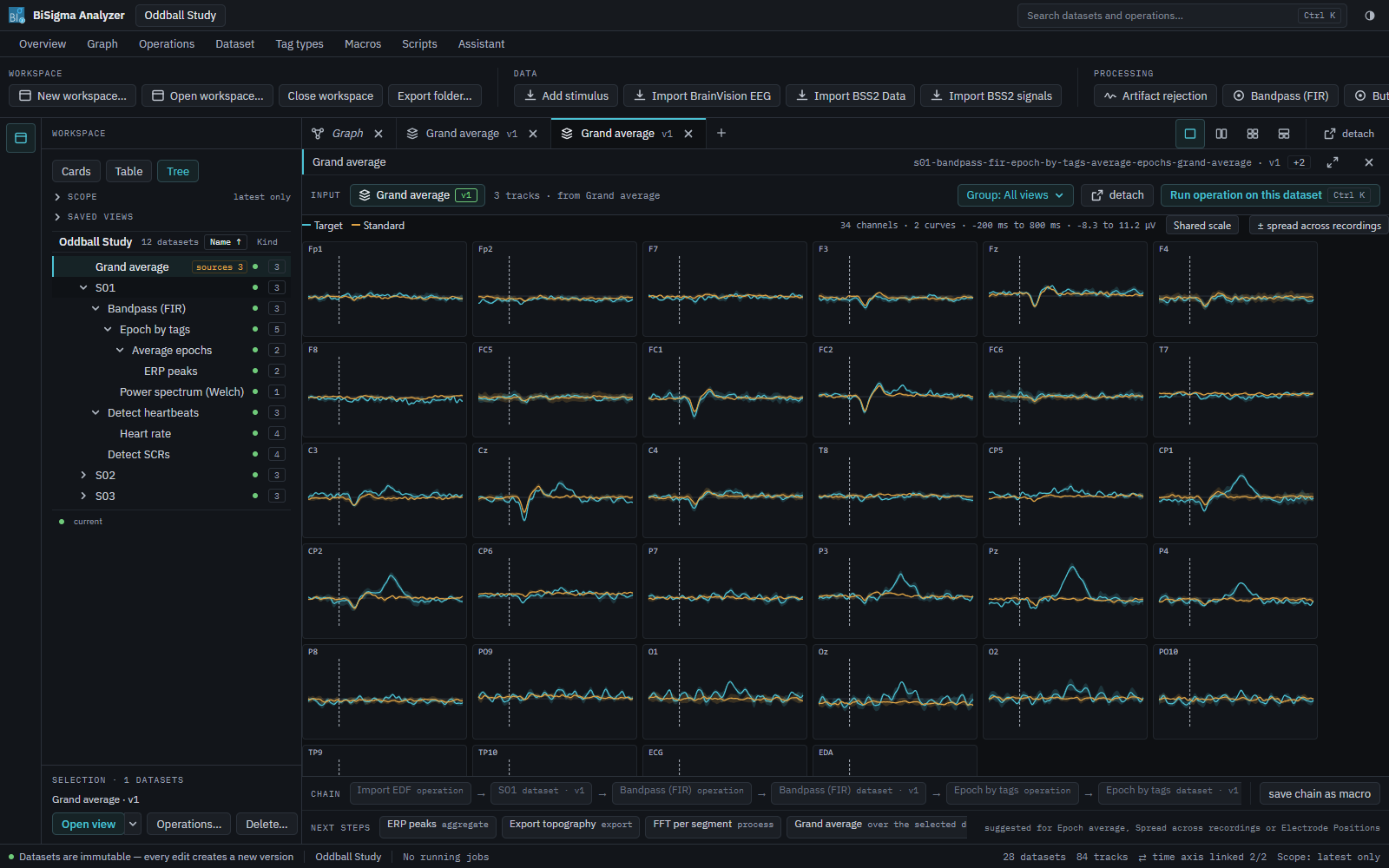
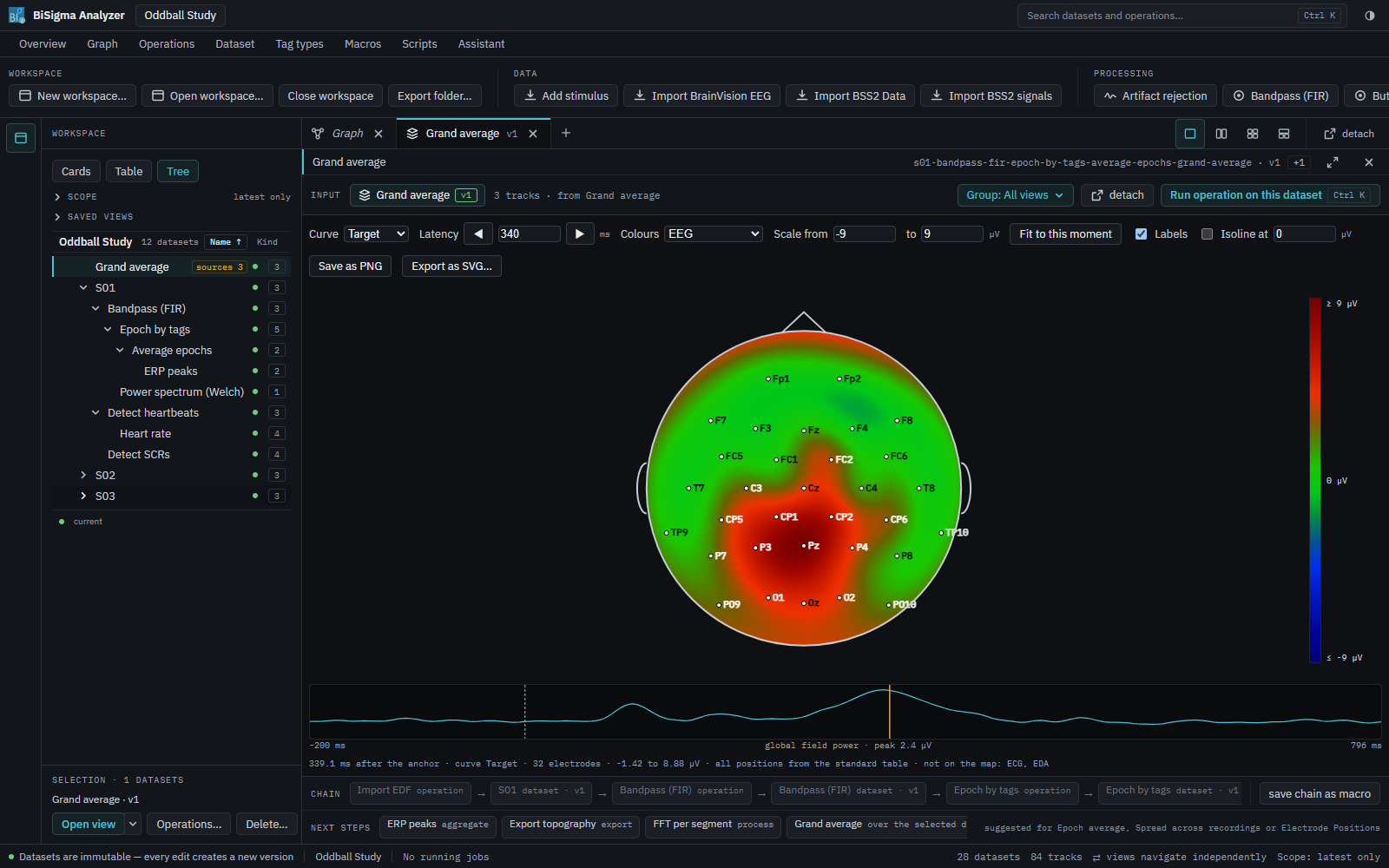
Video, gaze, EEG, physiological signals, markers and maps side by side – and all of them follow the same moment. Move the time cursor in one view and every other view follows. Views can be arranged in two, three or four panes or detached into their own window.
Automation
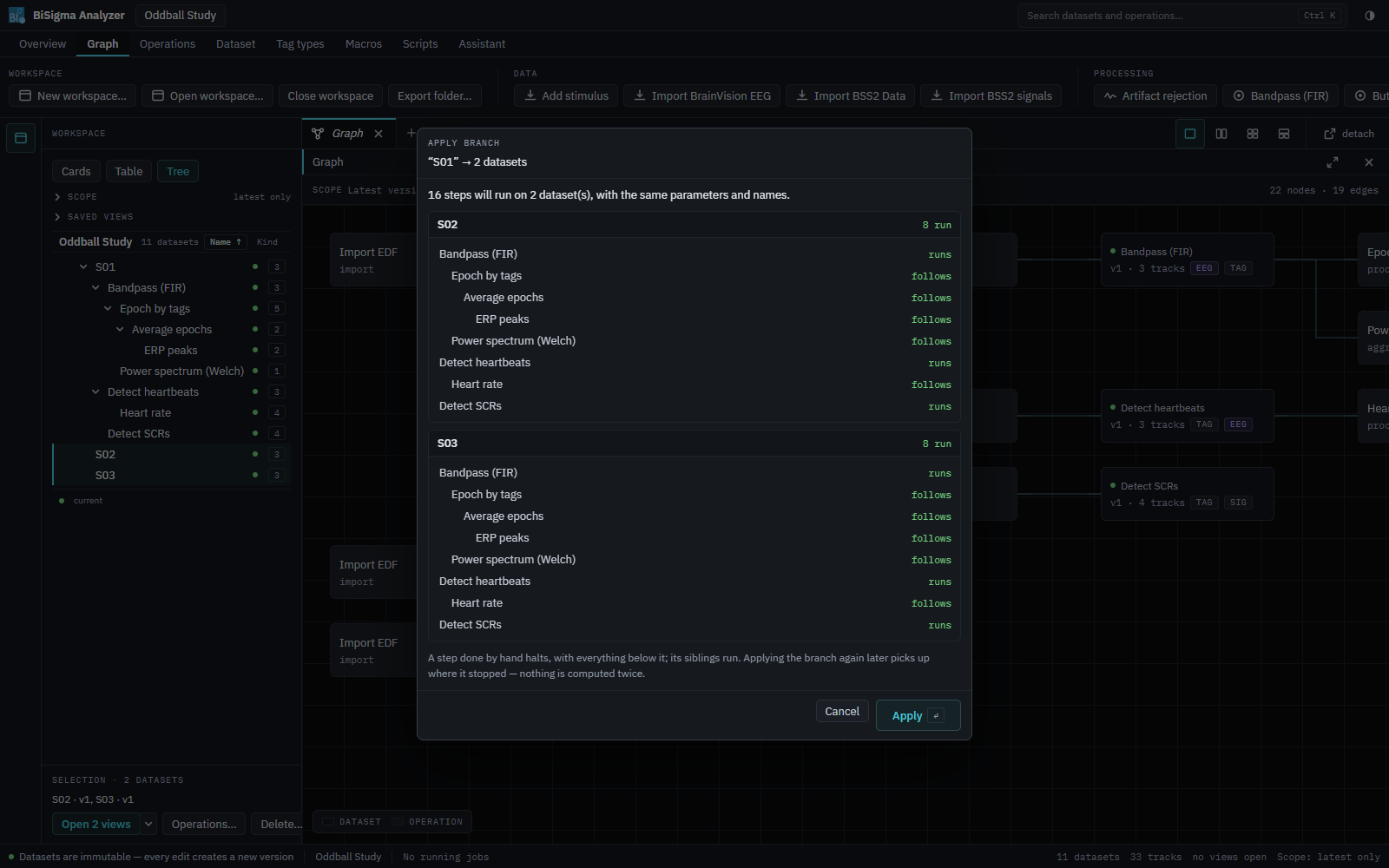
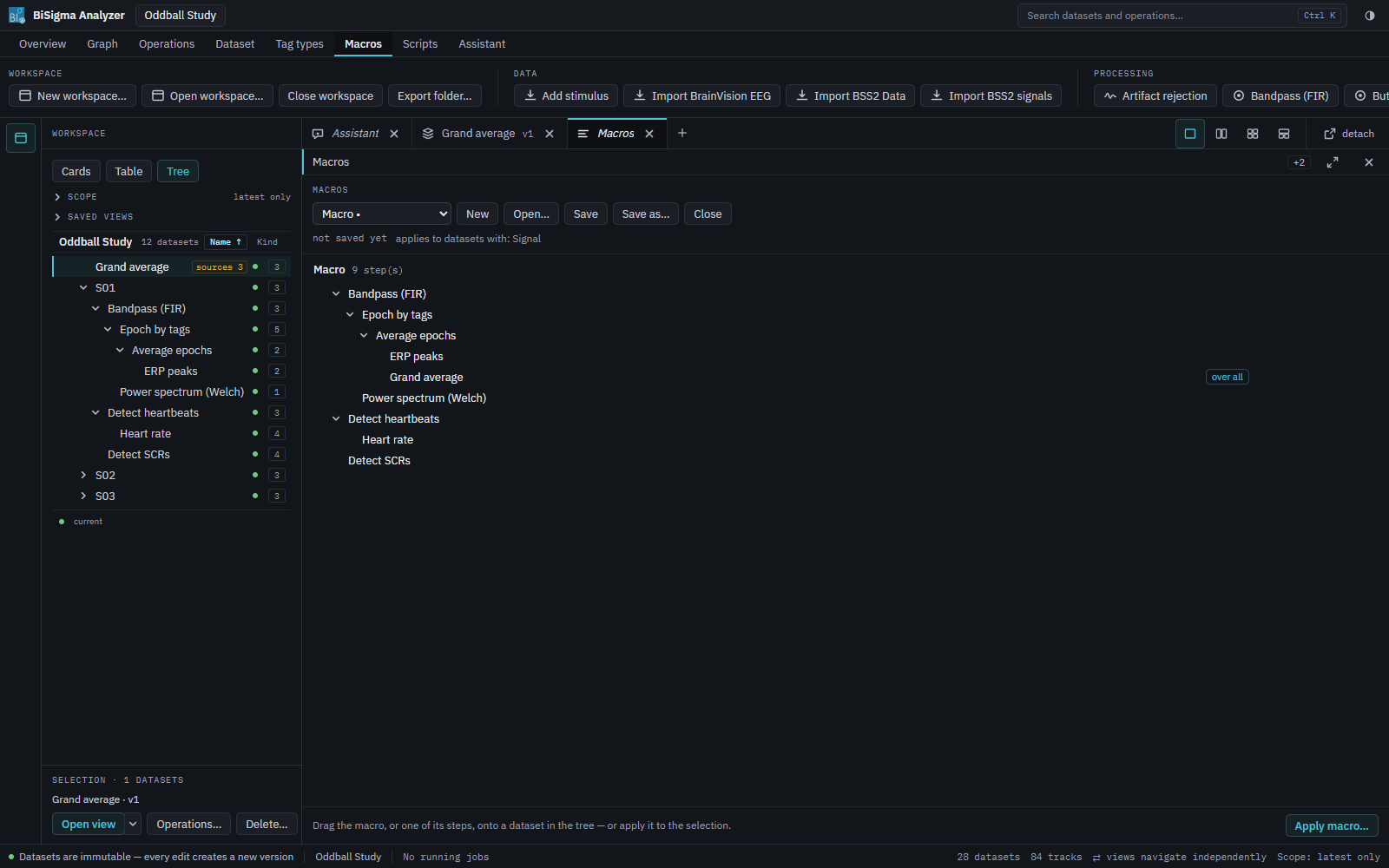
Process one recording, then apply exactly that processing to all the others – with the same parameters and the same names, after a preview of what will run. Turn the processing tree into a macro by dragging it, add steps that run once over all datasets, such as a grand average, and apply it to the next study. A step you did by hand is respected: the macro stops there instead of guessing.
Modules
Eye tracking
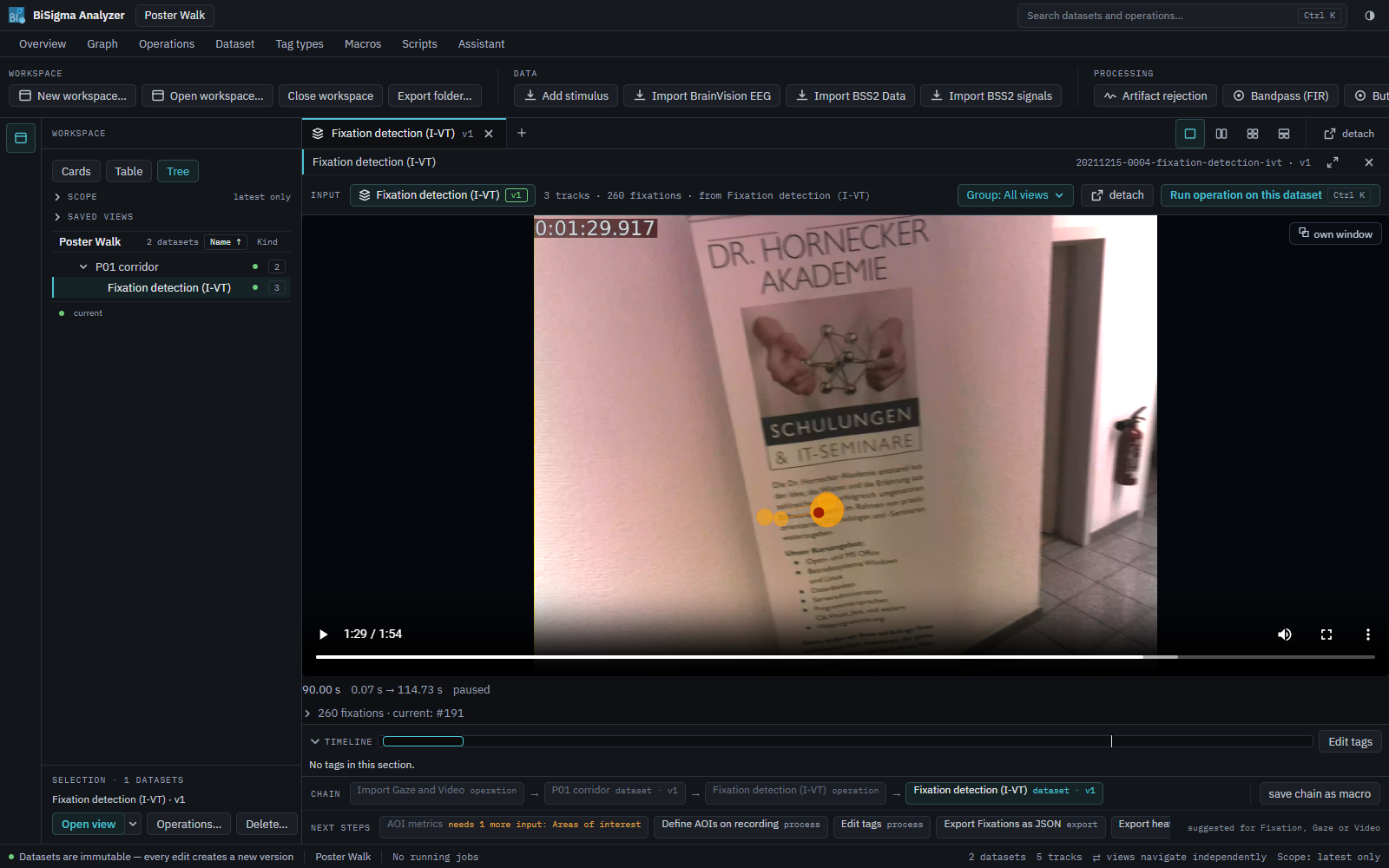
- Gaze filter and fixation detection (I-VT and dispersion-based)
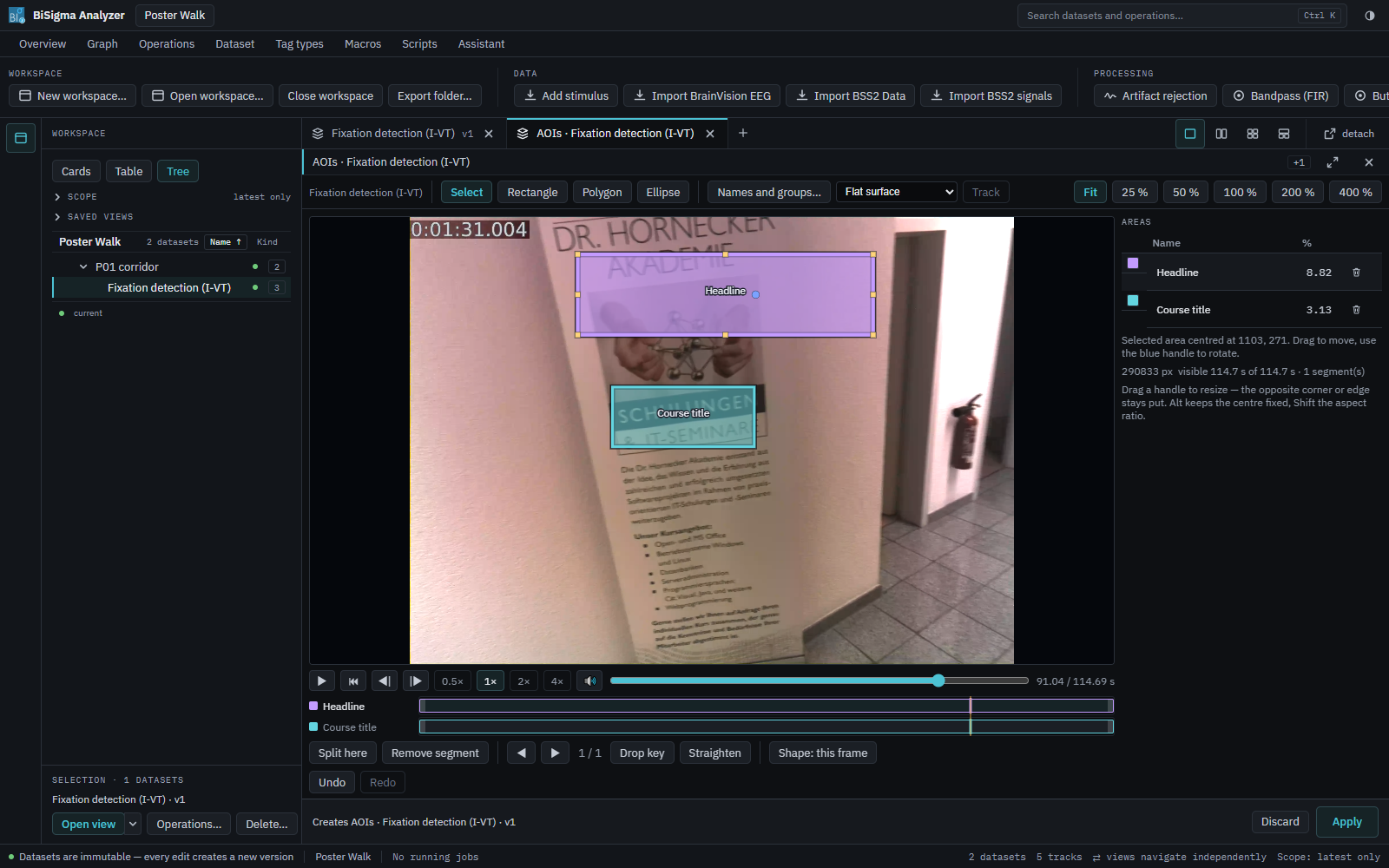
- AOI designer for images and videos, with tracking of moving areas between keyframes
- Fixation Spotter: maps fixations from mobile eye tracking onto a reference photo – a shelf, a poster, a screen – so that participants can be analysed together
- AOI metrics per segment, exportable as CSV
- Heatmap, scanpath, fixation plot and bee swarm across recordings
EEG and physiology
- Filters (FIR and Butterworth), re-referencing, channel editing, resampling
- Eye-artefact correction with ICA and artefact rejection
- FFT, band power, power spectra and scalp topography
- Epochs, averages, grand averages and ERP peaks
- Heartbeats, heart rate and heart rate variability; skin conductance responses (SCR)
- Measures per section of a stimulus: band indices from formulas, group means and maps exported as SVG or PNG
Modular by design
Analyzer 3 consists of a core and specialist modules. Together with the core, each module is a complete product, open to further recording devices and analysis methods.
Moving from version 2
Data from the BiSigma Software Suite 2 – eye-tracking data and signals – can be imported into Analyzer 3. Talk to us about moving your projects.
See it in action
We would be glad to show you Analyzer 3 with your own questions.
Send us your request and we will contact you by email to arrange a date.
By submitting the form, you send us your details so that we can process your demo request. Further information can be found in our privacy statement.